Offline Kanban Board for Personal Task Planning
Plan your tasks, projects, and ideas on a Kanban board that lives on your desktop.
Brisqi is built for people who want a simple visual task system without turning their personal work into another cloud workspace.
Available for Windows, macOS, and Linux. Use offline on desktop.
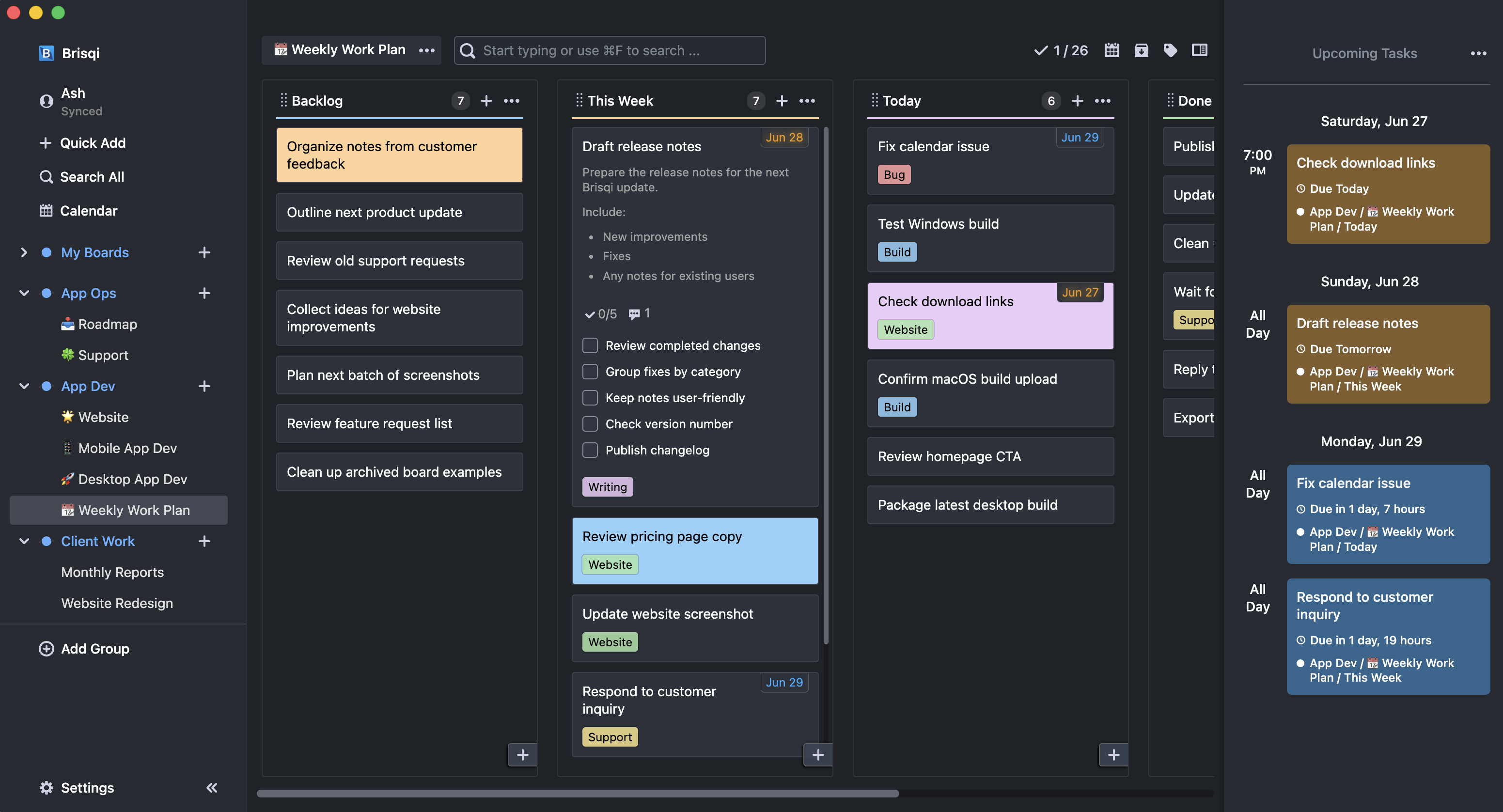
Use Brisqi when you want your task board to stay simple
Works offline on desktop
Plan your work from the desktop app without needing a live internet connection.
Built for personal Kanban
Use boards, lists, and cards without team-workspace complexity getting in the way.
Local-first desktop use
Keep your offline desktop workflow on your own computer, with sync available if you choose it.
Offline use
What “offline Kanban board” means in Brisqi
For desktop use, Brisqi is designed around offline task planning. You can create boards, add lists, write cards, move tasks, set due dates, add labels, use subtasks, search your board, and review upcoming work from the desktop app.
You do not need to open a browser-based workspace just to manage your own tasks.
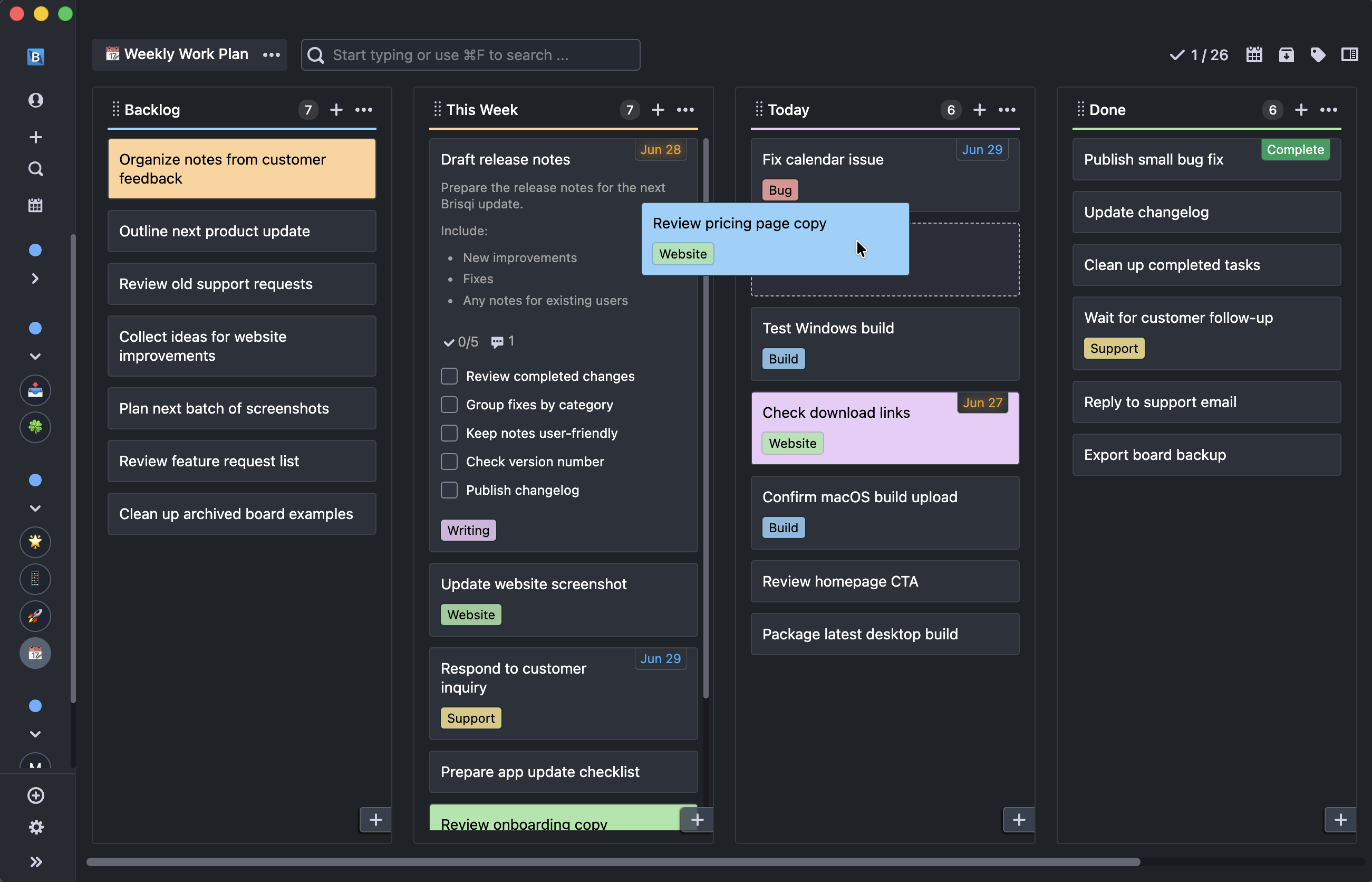
Use offline
Best when you want a local desktop Kanban board.
Use sync
Best when you want access across desktop and mobile.
Built for personal Kanban, not team overhead
Brisqi does not begin with admin dashboards, workspace settings, or complex setup. It starts with your board.
Simple workflow
To Do → Doing → Done
Weekly planning
Backlog → This Week → Today → Done
Client work
Ideas → Planned → In Progress → Waiting → Completed
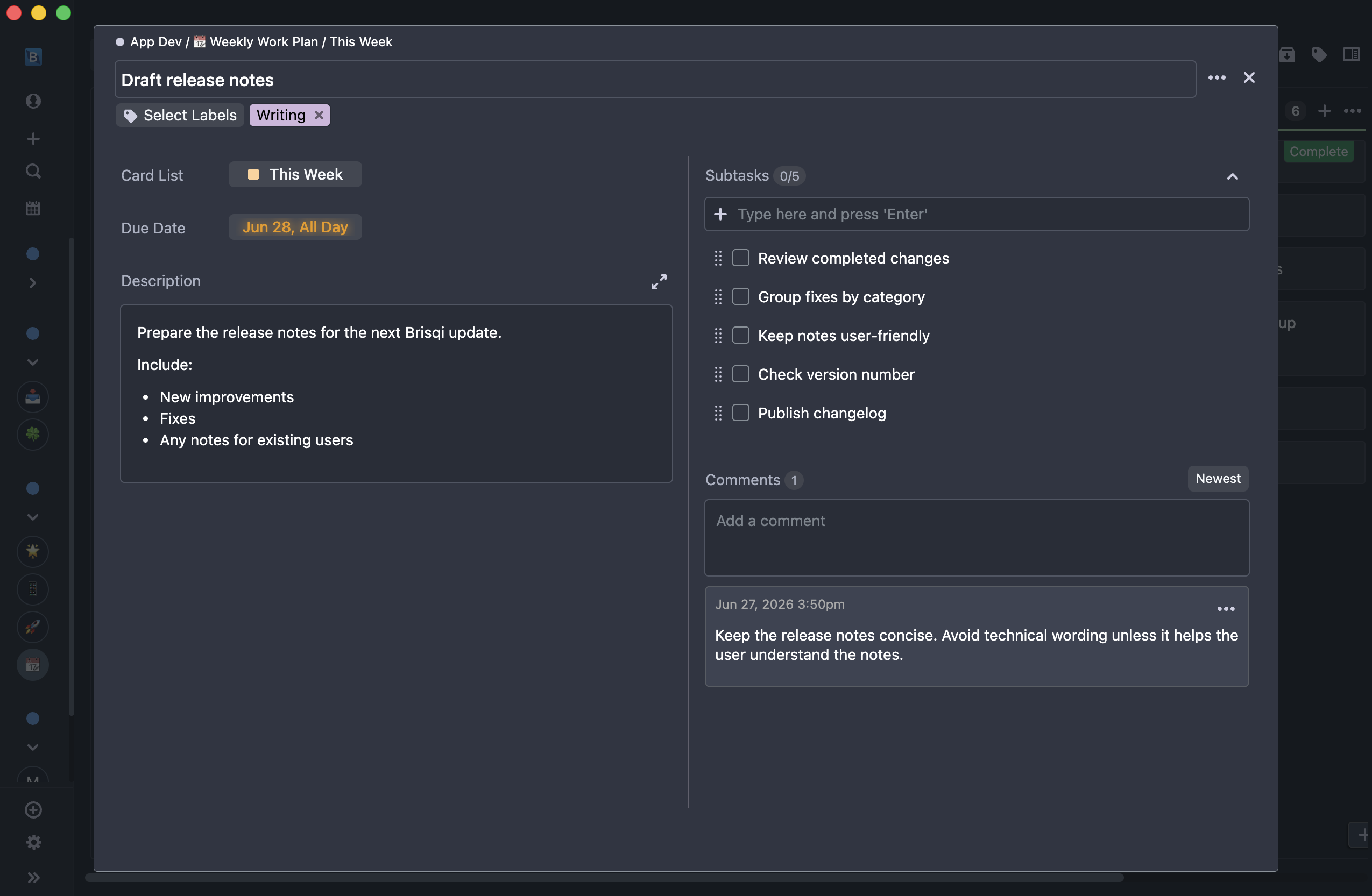
Task details
Organize more than simple cards
A Kanban board is useful when you can see the big picture. But individual tasks often need more detail. In Brisqi, cards can include notes, subtasks, due dates, labels, comments, and Markdown descriptions.
When an offline Kanban board makes sense
Brisqi is useful when your work is personal, private, or independent.
Solo developers
Track bugs, features, release tasks, and side-project ideas without setting up a full team tool.
Researchers
Organize experiments, writing, reviews, reading, and administrative work in a local desktop app.
Freelancers
Manage client tasks, follow-ups, deadlines, and project stages visually.
Students and educators
Plan assignments, lessons, reading lists, and deadlines without a complicated productivity system.
Privacy-conscious professionals
Keep personal task planning away from unnecessary monitoring or usage analytics.
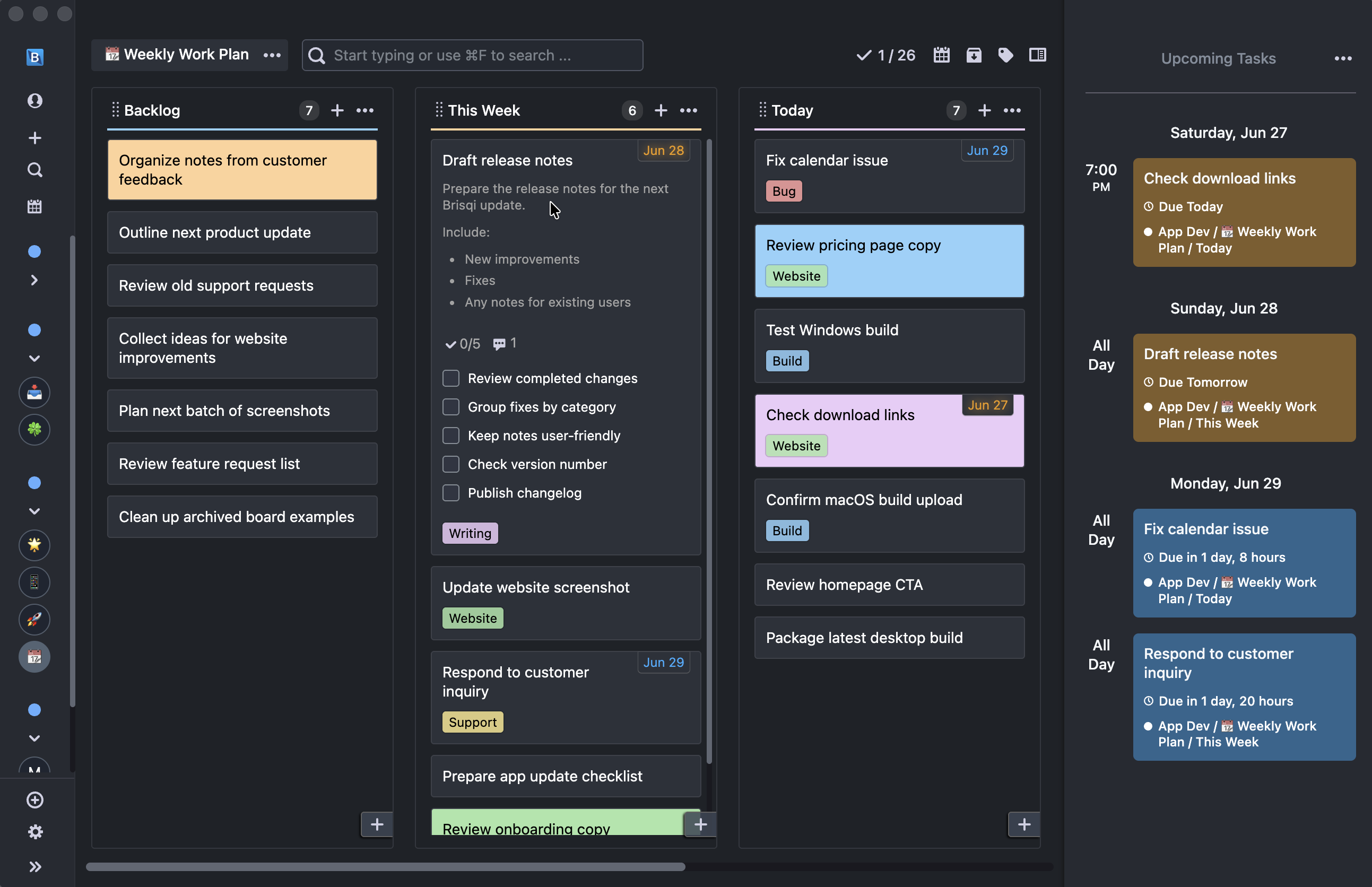
Planning ahead
See what needs attention next
Kanban is useful for planning, but you still need to know what is coming up. Brisqi helps you review upcoming work with due dates, calendar views, and board search.
- Review due tasks
- Plan the week
- See deadlines across boards
- Find cards quickly
- Keep personal work from slipping
Brisqi vs cloud Kanban tools
Cloud tools are useful when collaboration is the priority. Brisqi is better when you want a private desktop board for your own work.
Personal offline planning
Cloud Kanban tools
Often secondary or limited
Brisqi
Core desktop use case
Team collaboration
Cloud Kanban tools
Usually strong
Brisqi
Not the main focus
Simple individual workflow
Cloud Kanban tools
Can become cluttered
Brisqi
Designed to stay focused
Local desktop use
Cloud Kanban tools
Usually cloud-first
Brisqi
Available for offline desktop use
Account-free offline use
Cloud Kanban tools
Often not the default
Brisqi
Available for desktop offline use
Mobile access
Cloud Kanban tools
Usually cloud-based
Brisqi
Available with optional sync
Pricing model
Cloud Kanban tools
Often subscription-first
Brisqi
One-time offline desktop licenses available
Use cloud Kanban tools when:
You need real-time collaboration, shared team boards, advanced reporting, or enterprise project workflows.
Use Brisqi when:
You want a focused desktop Kanban board for personal tasks, private projects, and local planning.
Start free, upgrade when you need more room
You can start with Brisqi's free desktop version. If you need more boards, lists, labels, or activations, Brisqi offers one-time offline desktop licenses. If you need cloud sync and mobile apps, choose the Standard plan.
Free
Try Brisqi with a smaller local setup.
Personal / Basic
One-time offline desktop licenses for personal use.
Standard
Optional cloud sync and mobile access.
FAQ
Can I use Brisqi as an offline Kanban board?
Yes. Brisqi can be used as an offline Kanban board on desktop for Windows, macOS, and Linux.
Do I need an internet connection to use Brisqi?
For offline desktop use, no. You can open Brisqi and manage your local boards without an internet connection. An internet connection is only needed for things like downloading updates, activating paid licenses, or using optional sync features.
Do I need an account for offline desktop use?
You can use Brisqi for offline desktop task planning without creating an online account. An account is needed if you want optional cloud syncing features or to manage your license online.
Where is my Brisqi data stored?
For offline desktop use, your data is stored locally on your computer. If you use sync, Brisqi uses cloud sync for supported devices.
Is Brisqi better for personal work or team collaboration?
Brisqi is mainly built for personal Kanban and focused individual work. It is a good fit if you want a private board for your own tasks, projects, research, or client work. It is not designed to replace a full team project management system with real-time collaboration, permissions, and reporting.
Can I use Brisqi on multiple computers?
Yes. Depending on your license, you can activate Brisqi’s offline desktop version on multiple computers. You can also move data manually by creating a backup on one computer and restoring it on another. Brisqi lets you choose the backup location, so you can store backups in a shared folder such as Dropbox, Google Drive, or another drive you control. For a more seamless experience across desktop and mobile devices, Brisqi also offers optional sync.
Is Brisqi free?
Brisqi has a free desktop version with limits. Paid offline desktop licenses are available if you need more boards, lists, labels, or activations.
Plan your work on a local Kanban board
Use Brisqi when you want a simple desktop board for personal tasks, projects, and focused work.
Available for Windows, macOS, and Linux.